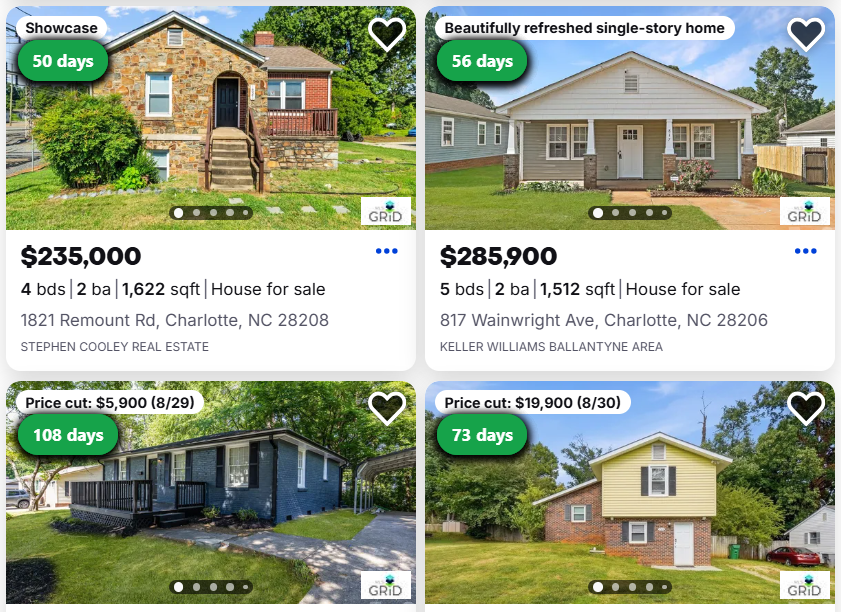
Days on Market Filter is a Chrome extension that helps real estate investors filter and highlight listings by Days on Market, straight from the search results page. No manual scanning. No spreadsheets.
Currently supports Zillow search result pages · Not affiliated with Zillow
When you're reviewing dozens — or hundreds — of listings at once, every card looks the same. Price, beds, baths. To find stale properties, price-reduction candidates, or listings worth a deeper look, you're forced to open each one individually or squint at listing dates.
There's no built-in way to surface listings that have been sitting. Investors who spot these early have an edge. Getting to them shouldn't require manual work.
↑ Days on Market, right on the card — no opening listings one by one
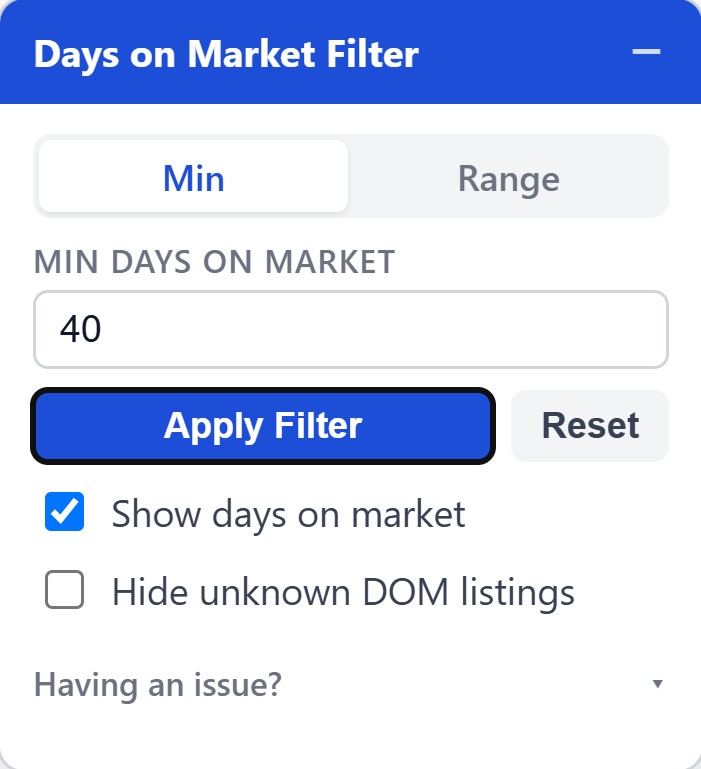
Days on Market Filter adds a thin productivity layer over supported real estate search pages. Set a minimum — or switch to a range and give it both ends. Listings that match get highlighted or filtered out. Everything else stays exactly as the site built it.
Three clicks from here to filtering. No account, no setup wizard, no configuration.
Hit the install button and Chrome takes you straight to the extension’s page on the Chrome Web Store.
Press Add to Chrome and confirm. It downloads and installs itself in a couple of seconds.
Open any Zillow search page and the filter panel is already there, ready to use.
This is a controlled early release for a small group of investors. The goal is to test reliability across listing types and real workflow value before a wider launch. Beta testers get early access and direct influence over what ships next.
Request Beta AccessBeta access is currently limited. Founder pricing may be offered to early testers after the beta period.
Days on Market Filter is an independent browser extension and is not affiliated with, endorsed by, or sponsored by Zillow Group. Zillow is a trademark of its respective owner and is referenced only to describe site compatibility. Listing information remains on the websites you visit; this extension does not create or maintain a listing database.
The extension only sends technical diagnostic data when you explicitly click Report issue. It does not collect addresses, listing databases, login details, or contact information.